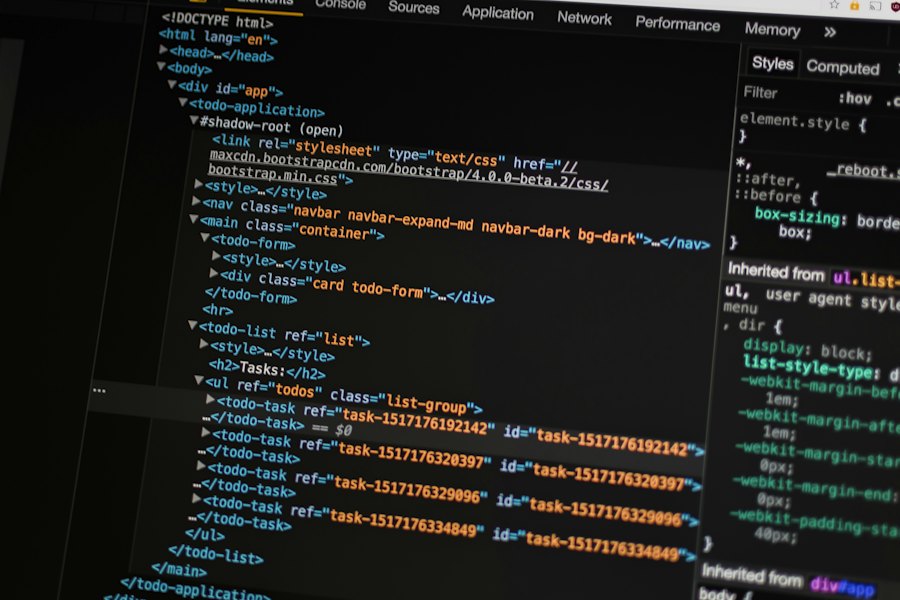
No prior experience needed. These notes explain what programming really is, how computers run your
instructions, and then hand you complete notes for each language — Python,
JavaScript, PHP, C, C++, HTML, CSS and SQL.
6 language guides55+ worked examples0 setup needed
first_program.py live
name = "Ayush"
marks = 87
print(f"{name} scored {marks}")
Language-wise notes
Choose your language, get the full notes
Every guide below is a complete page of its own: what the language is for, how to set it up, chapters with
explained examples, common mistakes, a cheat sheet and a quiz. Nothing is mixed together — one language per
page, so it stays easy to follow.
Code is just text
Written in a language a human can read.
You build things
A calculator, a game, a whole website.
15 minutes a day
Beats one long session every Sunday.
01
What is programming?
The idea behind every app, game and website on your phone
A program is a list of instructions that a computer follows, one after the other,
exactly as written. Programming (also called coding) is the act of writing those
instructions in a language both you and the computer can understand.
That is the whole secret. Your phone does not "think" — it simply obeys. If the instructions are in the
right order and the right format, you get the right result. If not, you get a bug.
The five things every program does
1
Input — take data in. A keyboard press, a file, a button tap, or a number you typed.
2
Store — keep that data somewhere with a name, so you can use it later. These named boxes are called variables.
3
Process — do maths, compare values, join text together, or make decisions.
4
Repeat — do the same job many times without writing it many times. That is a loop.
5
Output — show the result. Print it on screen, save it to a file, send it over the internet.
02
A short history of coding
From a Victorian mathematician to the AI in your pocket
Programming is younger than you think, and it was invented by people who were told it was not their
field. Knowing this history makes the modern tools make sense.
Year
What happened
Why it mattered
1843
Ada Lovelace publishes notes on Babbage's Analytical Engine, including the first algorithm
The idea that a machine could follow written steps
1936
Alan Turing describes a universal machine
Proves one machine can do any computation
1945
ENIAC is programmed by rewiring cables and switches
Shows the enormous need for a written language
1957
FORTRAN — the first widely used high-level language
You write maths, not machine codes
1972
C is created by Dennis Ritchie
Powerful, portable, and still running the world
1985
C++ adds objects to C
Big programs become manageable
1991
Python, and the Web goes public
Coding reaches students and hobbyists
1995
JavaScript, PHP and Java all appear
The interactive, database-driven web is born
2008
Android and the first app stores
Millions of people start building software
2015→
Cloud, GitHub, then AI assistants
You can build and share a real product alone
The five generations of languages
1
1st — machine code. Pure 0s and 1s. Humans wrote these by hand on paper first.
2
2nd — assembly. Short codes like MOV and ADD instead of numbers. Still one line per CPU instruction.
3
3rd — high-level. C, C++, Python, Java. You write total = price * qty and the compiler worries about the machine.
4
4th — declarative. SQL and spreadsheets: you describe the result, not the steps.
5
5th — logic and AI. You describe the problem and constraints, and the system works out the solution.
03
How code actually runs
You write text. The computer needs electricity. Something must translate.
The CPU only understands its own machine code — numbers. So your file has to be
translated first. There are two ways, and every language chooses one.
Compiled
Interpreted
How it works
Whole file is translated before it runs
Translated line by line while running
Languages
C, C++, Java, Rust, Go
Python, JavaScript, PHP, Ruby
Speed
Very fast
Fast enough for almost everything
Testing an idea
You must rebuild each change
Change a line, run it again instantly
Errors show up
Mostly before the program starts
Only when that line is reached
1
JIT (just-in-time) is a middle path — JavaScript engines translate the hot parts while running, giving both speed and instant testing.
2
A compiler error means the program never starts. An interpreter error means it ran until it hit the bad line — everything before that already happened.
3
This is why Python is easier for your first week: no build step between you and a result.
04
Choosing your first language
Pick by the thing you want to build, not by what sounds clever
I want to…
Start with
Notes
Learn coding with zero experience
Python
Least punctuation, most readable
Make a website look alive
HTML & CSS, then JavaScript
You see results immediately
Build logins, forms, dashboards
JavaScript or PHP
Both handle the server side
Get into AI, data or analytics
Python, then SQL
The standard combination
Write games or fast software
C++
Then a game engine like Godot or Unity
Win coding competitions
C++
Used in almost every contest
Understand how computers really work
C
Memory and pointers, properly
Work with data and reports
SQL
Asked in more interviews than almost anything
Three honest rules
1
The best first language is the one that lets you finish something. A finished small project teaches more than three unfinished big ones.
2
Do not start two languages in the same month. The syntax will blur and every beginner hits this.
3
After your first language, the second takes about two weeks — because you are only learning new spelling, not new thinking.
05
Your 90-day roadmap
A plan you can actually keep while studying
1
Week 1–2 · Setup and first programs. Install the tools, print text, take input, do maths, and store values in variables.
2
Week 3–4 · Decide and repeat.if/else, while, for. Build a marks calculator and a multiplication-table printer.
3
Week 5–6 · Break the problem up. Functions, and lists or arrays. Build a quiz game that scores the player.
4
Week 7–8 · Store things. Dictionaries, objects, files, and your first SQL query.
5
Week 9–10 · Ship something. One finished small project — a to-do list, a notes app, a report generator.
6
Week 11–12 · Read other people's code. Then rewrite your project a second time. The rewrite is where it clicks.
The daily habit that decides everything
1
15 focused minutes a day beats a four-hour Sunday. Memory needs repetition, not marathons.
2
Type every example by hand once. Copy-paste feels faster and teaches almost nothing.
3
Keep an errors.md file. When a bug takes more than ten minutes, write down the fix. Your own notes will out-teach any tutorial.
4
Getting stuck is not a sign you cannot do this. It is the actual job — experienced developers spend most of their day stuck on smaller problems.
Pythonmilestone — a scored quiz in 12 lines
questions = [
    ("What does CPU stand for?", "central processing unit"),
    ("Which symbol starts a comment in Python?", "#"),
    ("What is 7 // 2 in Python?", "3"),
]

score = 0
for prompt, answer in questions:
    guess = input(prompt + " ").strip().lower()
    if guess == answer:
        score += 1
        print("Correct!")
    else:
        print(f"Not quite - the answer is {answer}")

print(f"\nYou scored {score} out of {len(questions)}")
06
Glossary & good habits
The words everyone uses, explained in one line each
Term
What it means
Algorithm
A finite list of steps that solves a problem.
Bug
A mistake in the code that makes it do the wrong thing.
Compile
Translate a whole program into machine code before running it.
Compiler error
The program could not be built at all — usually a typo or a missing bracket.
Data type
What kind of value something is: number, text, true/false.
Debug
Find and fix a bug. Mostly printing values and reading error messages.
Function
A named block of code you can run as many times as you like.
IDE / editor
The program you write code in — VS Code is the common free choice.
Index
The position of an item, usually starting at 0.
Interpret
Translate and run the program line by line.
Iteration
One pass through a loop.
Library / package
Ready-made code someone else wrote that you can import.
Loop
Code that repeats. for for a known count, while until something changes.
Machine code
The 1s and 0s your CPU actually executes.
Null / None / nil
A deliberate "no value here".
Parameter / argument
The value you hand to a function.
Pseudocode
Plain-language steps you write before real code.
Refactor
Improve the code's shape without changing what it does.
Return value
What a function hands back to whoever called it.
Runtime error
The program started but crashed partway through.
Syntax
The spelling and punctuation rules of a language.
Variable
A named box holding a value.
How to get unstuck, in order
1
Read the error message properly, bottom to top. It names the file, the line and the type of problem.
2
Print your variables right before the failing line. Guessing is slower than printing.
3
Shrink the problem. Comment out half the code. If it works, the bug is in the other half.
4
Change one thing at a time. Changing three things and hoping is how hours disappear.
5
Say it out loud. Explaining the problem to anyone (or to a rubber duck) finds a surprising number of bugs by itself.
6
Then ask. Include what you expected, what actually happened, and the smallest code that shows it.
✓
Test yourself
Five questions on the basics — nothing is recorded, so guess freely
Q1 What does a computer do with the instructions you write?
Why: A computer obeys literally. That is why the order and the exact spelling of instructions matter so much.
Q2 Which pair is compiled rather than interpreted?
Why: Compiled languages translate the whole program before anything runs. Python, JavaScript and PHP are interpreted (or JIT-compiled).
Q3 Which ideas appear in every programming language?
Why: Everything else is a variation on storing a value, choosing a path, repeating work, and grouping code into a reusable block.
Q4 What is the best first language for a complete beginner?
Why: Finishing something is what teaches you. Python and HTML/CSS are the friendliest starts; the language matters far less than completing a project.
Q5 Your program crashed. What is the fastest first step?
Why: The error message names the file, the line and the type of problem. Reading it carefully solves more bugs than anything else you can do.
Answered 0 of 5 · correct 0
Finished the basics? Open a language guide.
Each one is a full page of notes — setup, chapters, examples, mistakes, cheat sheet and a quiz.
 StudyHub